What is CNC lathe programming and software?
CNC lathe programming translates technical drawings into G-code and M-code to control machine movements and auxiliary functions. Modern software streamlines this by integrating design and manufacturing into a single workflow.
Whether you’re a beginner in machining for the first time, a student studying vocational skills, or a buyer of equipment for a workshop or factory, understanding CNC lathe programming and software is critical.
CNC lathe programming is divided into two dimensions at the technical level: one is the machine tool control language (mainly G code G-code and M code M-code); the second is the software tool used to generate, simulate and transmit these codes to the machine tool. The two together constitute a complete workflow from digital design to physical parts.
Core Concept of CNC Lathe Programming that Beginners must Master
What are G-code and M-code?
G-code (Geometric code) is the main language to tell the machine tool where to move and how to cut. M-code (Miscellaneous code) is responsible for handling machine tool auxiliary actions, such as the start and stop of the spindle, the switch of the coolant, and the end of the program. Almost all mainstream CNC controllers, whether Fanuc, Siemens, Mitsubishi or Haas, can recognize a variant of G code.
| G-code & M-code Example Table | ||
|---|---|---|
| কোড | ক্রিয়া | উদাহরণ |
| G00 | Rapid positioning (no cutting) | G00 X50 Z5 |
| G01 | Linear interpolation (straight-line cut) | G01 X40 Z-20 F0.2 |
| G02 | Circular interpolation clockwise | G02 X30 Z-10 R5 |
| G03 | Circular interpolation counter-clockwise | G03 X30 Z-10 R5 |
| G96 | Constant surface speed (CSS) mode | G96 S200 |
| G97 | Direct RPM mode | G97 S1500 |
| M03 | Spindle start (clockwise) | এম 03 এস 1200 |
| M08 | Coolant on | M08 |
| M30 | End of program, reset | M30 |
What is the difference between absolute and incremental coordinates?
CNC lathes use two coordinate modes. Absolute mode (G90): All position coordinates are measured based on the Workpiece Zero/Program Origin of the workpiece origin; incremental coordinate mode (G91): The amount of each movement is the offset relative to the current position of the tool. It is recommended that beginners first master G90, which is safer and easier to visually verify whether the position is correct.
What is a CNC turning cycle?
Most CNC controllers have a built-in fixed-cycle canned cycle, which is a pre-programmed composite instruction. One line of code can complete multi-step operations such as conventional roughing (G71), facing (G72), threading (G76) or drilling (G74). A fixed loop can greatly reduce the number of lines of handwritten code, while reducing the risk of programming errors.
Manual Programming vs. CAM Software: Which One Should Be Selected?
| Manual Programming vs. CAM Software Comparison Table | |||
|---|---|---|---|
| অভিগমন | জন্য সেরা | ভালো দিক | মন্দ দিক |
| Manual G-code | Simple 2-axis parts, learning fundamentals | Full control, no software cost, fast for simple jobs | Error-prone for complex parts, slow for multi-axis |
| CAM সফটওয়্যার | Complex profiles,production runs, 3D turning | Visual simulation,automatic toolpath generation, faster | Learning curve, software cost, post-processor needed |
| কথোপকথনমূলক প্রোগ্রামিং | Shop-floor operators, quick jobs | No coding knowledge needed, built into many controllers | Limited flexibility, machine-specific |
For beginners who are learning CNC lathe programming, it is recommended to start with manual G-code to lay a good foundation. When you really understand how the machine responds to each instruction, the transition to CAM software will be much smoother, because you can understand the code automatically generated by the software, and it is more evidence-based when troubleshooting problems.
Best CNC Lathe Software Recommended for 2026
Choosing the right software is one of the most critical decisions in building a complete CNC lathe programming and software system. The following describes the main options by experience and budget.
Free CNC Lathe Software for Beginners
OPTION 1: Autodesk Fusion 360 (free for personal/start-ups)
Fusion 360 is a full-featured CAD/CAM platform that integrates 3D modeling (CAD), toolpath generation (CAM) and machining simulation. The free version supports 2-axis turning, which is the first choice for scholars in early 2026 with a huge tutorial community. Visit the অটোডেস্ক ডট কম →
OPTION 2: FreeCAD with Path Workbench (Open-source)
FreeCAD is a fully open source parametric 3D modeling software. Its built-in Path workbench can generate G-code for CNC lathes and milling machines. The learning curve is slightly steep, but zero cost, no use restrictions, suitable for enthusiasts and students. Visit the freecad.org সম্পর্কে →
OPTION 3: LinuxCNC (machine controller + programming)
LinuxCNC is a free and open source CNC machine tool control system and programming environment, which is widely used in DIY transformation and education scenarios. It runs on the Linux system and supports a variety of models such as lathes and milling machines. It is especially suitable for transforming old manual lathes into CNC Retrofit. Visit the linuxcnc.org →
Professional Paid CNC lathe CAM Software
INDUSTRY STANDARD: Mastercam Lathe
Mastercam is one of the most widely used CNC programming platforms in the manufacturing industry. Its exclusive lathe module supports multi-axis turning, mill-turn center, live tooling and Swiss-type lathe. Almost all of the mainstream controller brands have the corresponding post-processor available, which is the industry benchmark software for high-volume production workshops.
MIDDLE-END PROFESSIONAL: BobCAD-CAM
BobCAD provides a complete lathe module at a far lower price than Mastercam. The interface is friendly and the beginners can get started quickly. Functions include simulation, tool path verification and mainstream controller post-processor support.
ADVANCED MULTI-AXIS: SolidCAM (iMachining for turning)
SolidCAM can be directly integrated into SolidWorks for internal operation and is ideal for engineers who are already using SolidWorks for part design. It supports two to five-axis turning and turn-milling machining. Its proprietary iMachining technology can automatically optimize the tool path, extend the tool life and shorten the machining cycle time.
| CNC programming software comparison table | ||||
|---|---|---|---|---|
| সফটওয়্যার | মূল্য | জন্য সেরা | Turning support | ব্যাজ |
| ফিউশন এক্সএনইউএমএক্স | Freemium | Beginners, startups | 2-3 অক্ষ | √ |
| FreeCAD | বিনামূল্যে | Hobbyists, education | 2 অক্ষ | সীমিত |
| লিনাক্স সিএনসি | বিনামূল্যে | DIY /retrofit | 2 অক্ষ | মৌলিক |
| ববক্যাড-ক্যাম | Pald | ছোট দোকান | 2-4 অক্ষ | √ |
| Mastercam Lathe | Pald | উৎপাদন কেন্দ্র | 2-5 axis, Swiss | √√ |
| সলিডক্যাম | Pald | সলিডওয়ার্কস ব্যবহারকারীরা | 2-5 axis, mill-turn | √√ |
How to Choose the Right CNC Lathe Software?
If you’re planning to buy a CNC lathe and need to synchronously select software, the following are the key factors that are most worthy of careful evaluation before spending money.
What features should beginners pay attention to?
Visual simulation: the ability to perform virtual “empty cut” verification before formal contact with a physical machine tool is an indispensable function for beginners. Three-dimensional tool path simulation with collision detection is selected.
Post-processor library: confirm that the selected software has a dedicated post-processor for your machine controller (e.g. Fanuc 0i, Siemens 840D, Haas TL). Without a postprocessor, the CAM output G code will be incompatible with the machine.
Ease of tool path creation: the wizard-style or dialog-style operation interface can help beginners get started quickly, while still gradually mastering the underlying logic of CNC turning programming.
Community support and learning resources: Platforms like Fusion 360 have tons of YouTube tutorials and official documents – invaluable when it comes to problems.
What is the reasonable budget of CNC lathe software?
$ 0 (learning/hobby): Fusion 360 personal edition, FreeCAD, LinuxCNC
$ 500-2000 (small shop): BobCAD-CAM starter, Fusion 360 commercial subscription
$ 5000-150,000+ (professional): Mastercam, SolidCAM, this price is usually required to pay an annual maintenance fee of 15-20 % annually
Purchase tips: Many CNC machine tool manufacturers will randomly bundle or discount basic CAM software when selling machine tools. Before placing an order, it is necessary to ask the manufacturer whether the software is included and whether the corresponding postprocessor has been configured for your controller, which often saves a lot of cost and configuration time.
CAM software Compatibility with CNC controllers
The CNC lathe controller brands you are most exposed to include: ফানুক (dominant in the mass production environment), সিমেন্স সিনুমেরিক (common in European and high-end machine tools), হাস (widely used in the North American market), জিয়ানকে (Chinese professional recommendation) and মিত্সুবিশি. All mainstream CAM software are built-in support Fanuc post-processor; please be sure to confirm the support of Siemens and other niche controllers separately before purchasing.
How to Write Your First CNC Lathe Program?
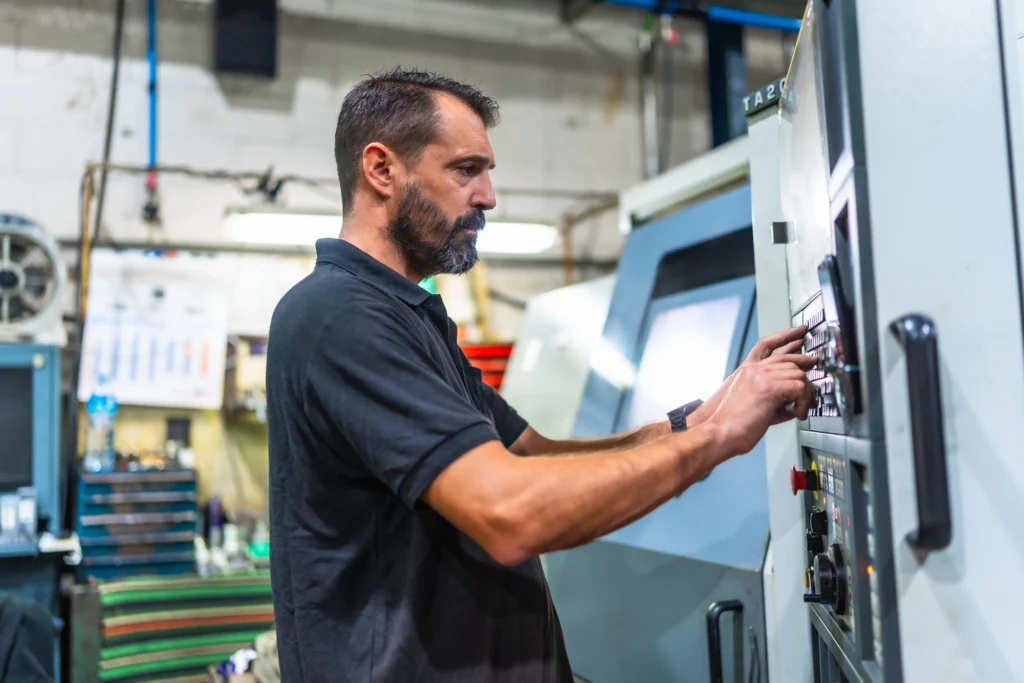
The following is a demonstration of the most basic OD turning (outer diameter turning) operation, which is one of the most basic tasks in CNC turning programming.
Step 1: Set the Workpiece Origin (Program Origin/Workpiece Zero)
Define the origin of the program coordinate system: usually take the intersection of the right end face of the workpiece and the central axis as X0 and Z0.
Step 2: Define the tool and cutting parameters (Tool & Cutting Parameters)
Select the CNMG outer diameter lathe blade. Set the spindle speed (G97 S1500 M03), input feed rate feedrate and tool offset number(T0101).
Step 3: Quickly locate to the safe start position
Before any cutting action, the tool is moved to a safe position away from the workpiece: G00 X55 Z5.
Step 4: Write rough processing program
Use a canned cycle (G71 on Fanuc) or manually use G01 to write a linear program that cuts layer by layer to the target diameter.
Step 5: Finishing pass & program end
Add a G70 finishing cycle, retreat to a safe position, close the coolant (M09), stop the spindle (M05) and end the program (M30).
A minimal example of an OD turning program:
O0001 (OD TURNING DEMO) G21 G40 G99 (metric, no comp, feed per rev) T0101 (tool 1, offset 1) G97 S1500 M03 (1500 RPM, spindle CW) G00 X55 Z5 M08 (rapid to start, coolant on) G71 U1.0 R0.5 (roughing: 1mm depth, 0.5mm retract) G71 P10 Q20 U0.3 W0.1 F0.25 N10 G00 X30 G01 Z-50 F0.15 (turn OD to Z-50) N20 G01 X55 G70 P10 Q20 (finishing pass) G00 X100 Z100 M09 (retract, coolant off) M05 (spindle off) M30 (end of program)
Common CNC Lathe Programming Mistakes that Beginners must Avoid
Forget to set the safe zero position: at the beginning of the program, you must first perform an instruction to quickly locate the safe retreat position, and then close to the workpiece. Crash is the most common beginners’ error when the first movement occurs.
Incorrect tool offset entries: inputting the wrong tool length or radius compensation value in the controller will cause the tool to cut at a completely wrong position. After using the new tool each time, it is necessary to run the complete program after verifying the compensation value by cutting Test Cut.
Skip the simulation steps: run G-code directly on the machine tool without software simulation verification, there is a risk of damage to the machine tool and personal safety. For any new program, it is necessary to first use the controller’s dry run and single block functions for verification.
Using the wrong feed rate units: CNC lathe accepts two units of feed per revolution (mm/rev, G99 mode) and feed per minute (mm/min, G98 mode). Unit error will lead to overcutting or almost no cutting.
Improper setting of the workpiece coordinate system (G54/G55): If the tool is not correctly aligned before running the program and the workpiece coordinate system is established, all cutting positions will be offset.
Where to Learn CNC Lathe Programming and Software?
The most effective learning path is to combine hands-on practice with systematic resources. The following are verified high-quality channels:
- Autodesk Fusion 360 Learning Hub: Free video courses on turning and milling CAM for visual learners. Visit the autodesk.com/learn →
- ব্যবহারিক যন্ত্রবিদ ফোরাম: The world’s largest online community of mechanics and programming engineers is of great value in troubleshooting practical CNC lathe programming problems. Visit the practicalmachinist.com →
- Community colleges and vocational schools: systematic CNC machining skills certification (such as NIMS certification in the United States) provides structured, hands-on training that cannot be completely replaced by any online resource.
FAQ
CNC lathe programming has a learning curve, but it is very accessible to beginners who start with the basics. Most people can write simple 2-axis turning programs within a few weeks of focused study. Starting with Fusion 360 and a simulator before touching a real machine significantly reduces the learning barrier.
Learning G-code for a CNC lathe is a bit like learning a new language where the “grammar” is math and the “vocabulary” is a set of standardized commands. Since you are in the U.S, you have access to some of the world’s best free and paid resources, many of which are designed specifically for the Fanuc or Haas controllers common in American machine shops.
Most CNC lathes use a variant of standard ISO G-code, but there are differences between controller brands (Fanuc, Siemens, Haas, Mitsubishi). The core codes (G00, G01, M03, M30) are largely universal, but canned cycles, variable syntax, and macro programming differ. Always verify your G-code against the specific controller manual.
CNC lathe machining commonly uses Mastercam, Autodesk Fusion 360, and ESPRIT to generate the necessary G-code instructions. While milling often requires complex 3D paths, many lathe operators still write simple programs by hand using a basic text editor or “conversational” programming built directly into the machine’s controller.
When it comes to programming CNC lathes, there is no single “best” software. The right choice depends entirely on your shop’s budget, the complexity of your parts (simple 2-axis turning vs.complex multi-axis mill-turn), and the CAD software you already use.